
QR ordering for cafés and restaurants
Guests scan the code on the table, choose from the menu and send the order. The kitchen and bar see it at once, and the waiter brings it when it is ready.
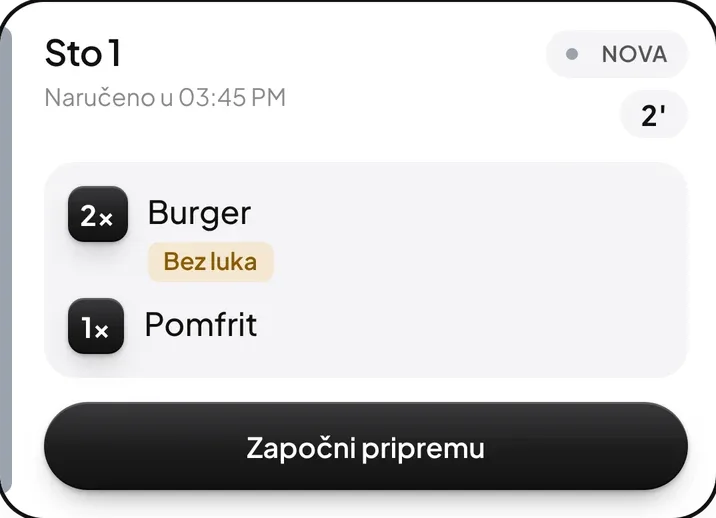
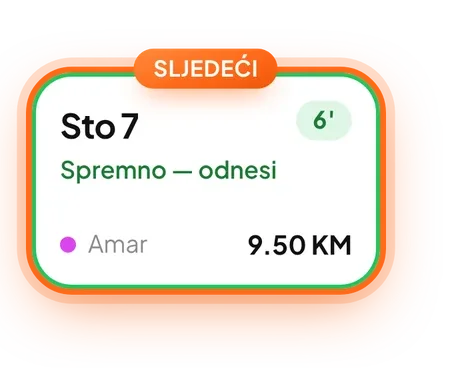
Guests don't wait to be noticed. They order when they are ready, and waiters deliver orders instead of collecting them.
One order, from table to kitchen
Four steps, no paper and no shouting across the bar.
- 1
The guest scans the QR code on the table
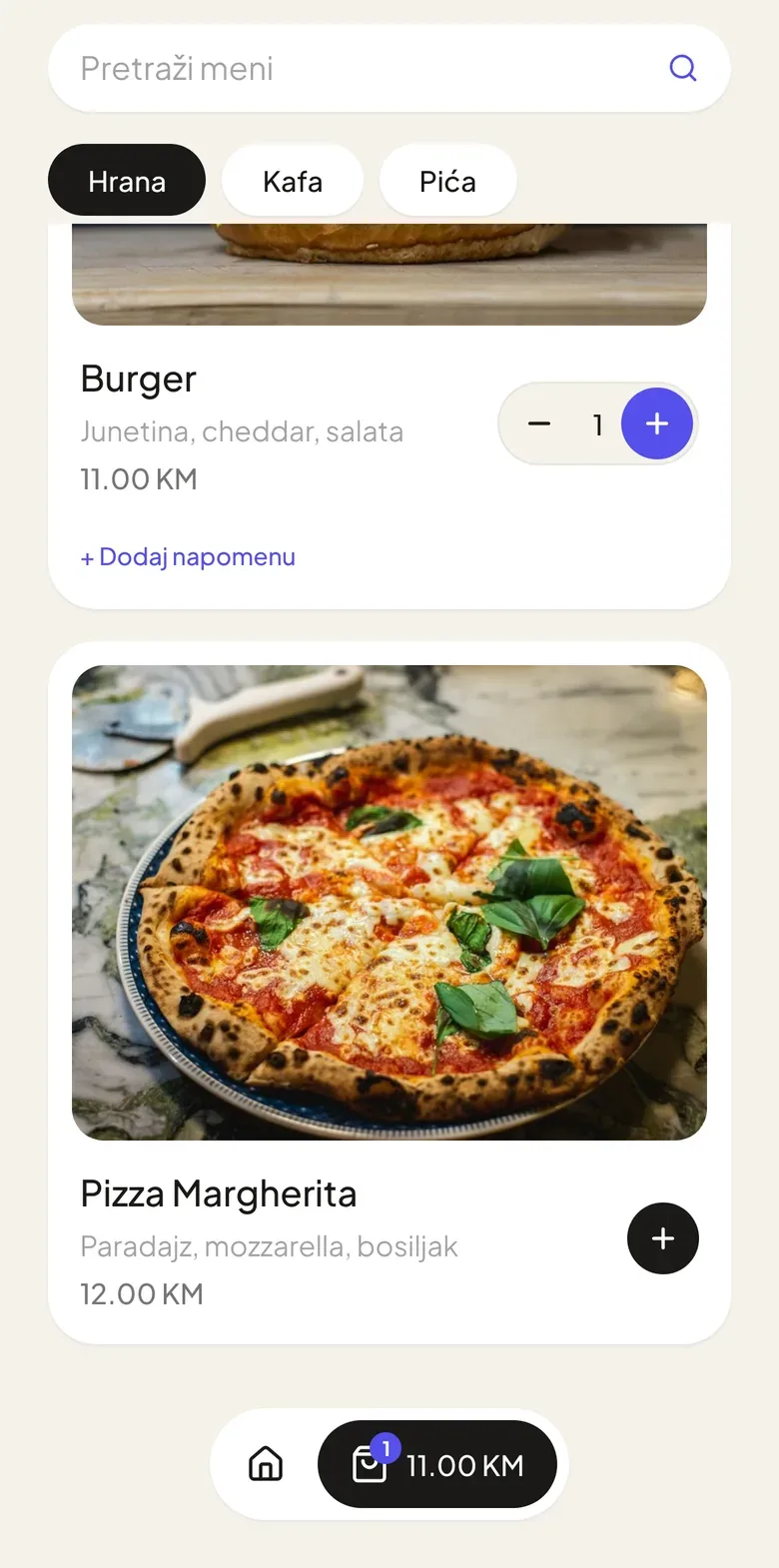
No app: the venue's menu opens in the guest's language, with photos and prices.
- 2
Swipes to send
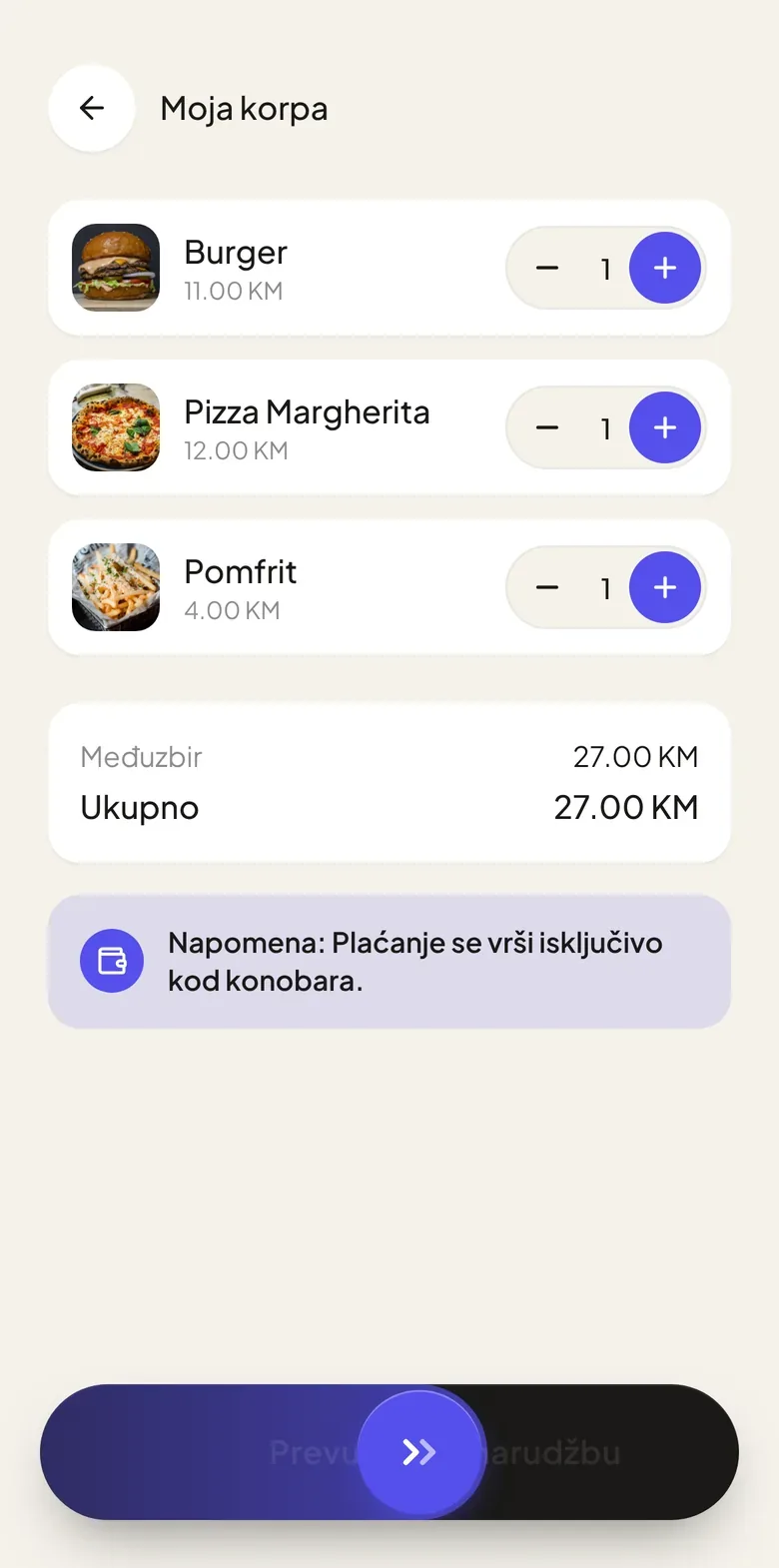
One swipe sends the order, so an accidental tap never does.
- 3
Kitchen and bar get their part
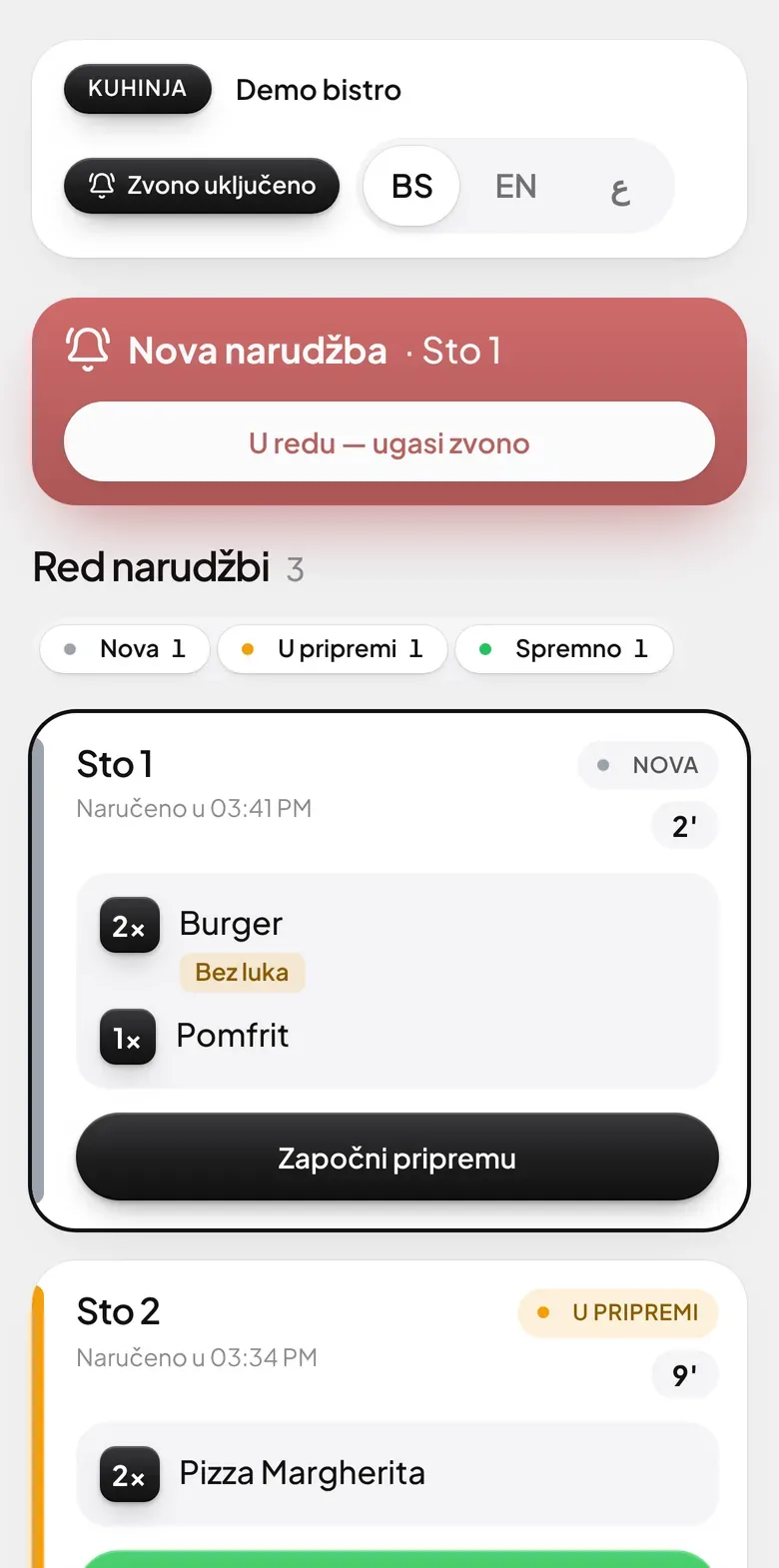
Food goes to the kitchen, drinks to the bar. The screen rings until someone accepts the order.
- 4
The waiter serves when it's ready
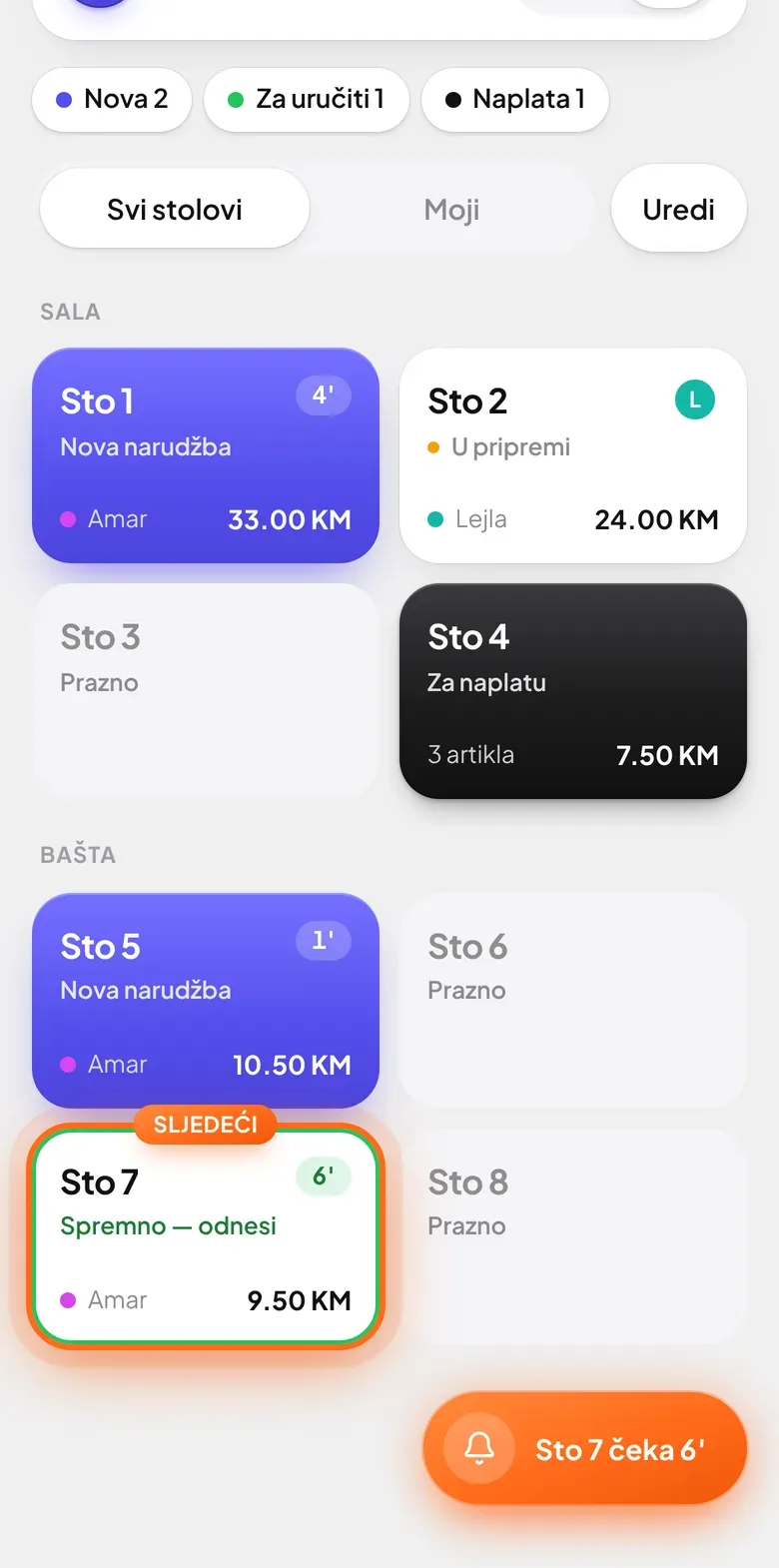
The phone shows which table is waiting and marks the next table in orange.
For waiters
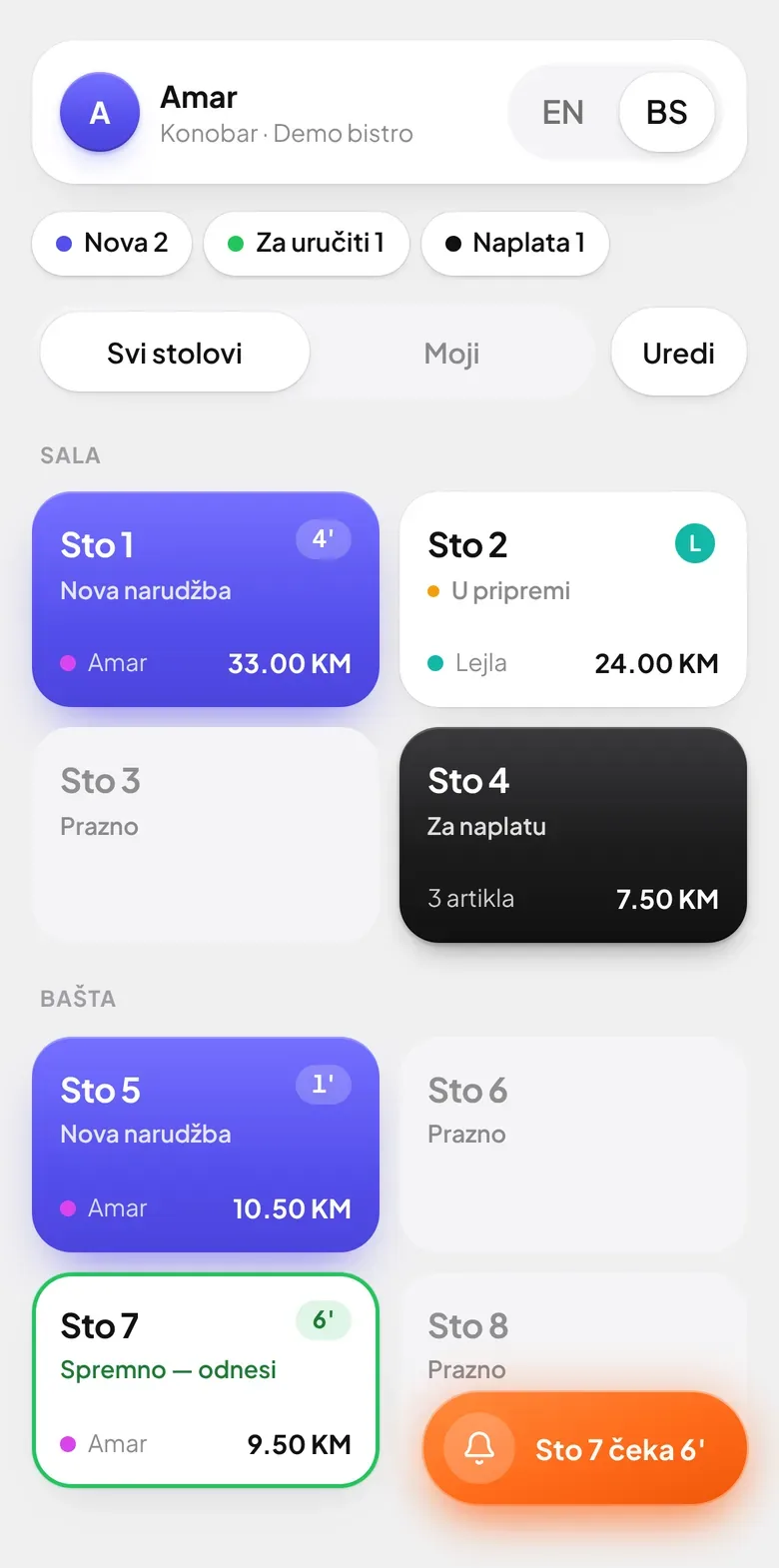
The waiter screen on the phone
Every table in the colour of its state. Waiters see what is new, what is ready and who is waiting for the bill.
- A notification when an order is readyIt arrives even with the phone in a pocket.
- An order for a table in a few tapsWaiters can also enter what the guest tells them.
Kitchen and bar
A screen for the kitchen and bar
Orders arrive on their own, in order of time. A tablet or a phone on the wall is enough.
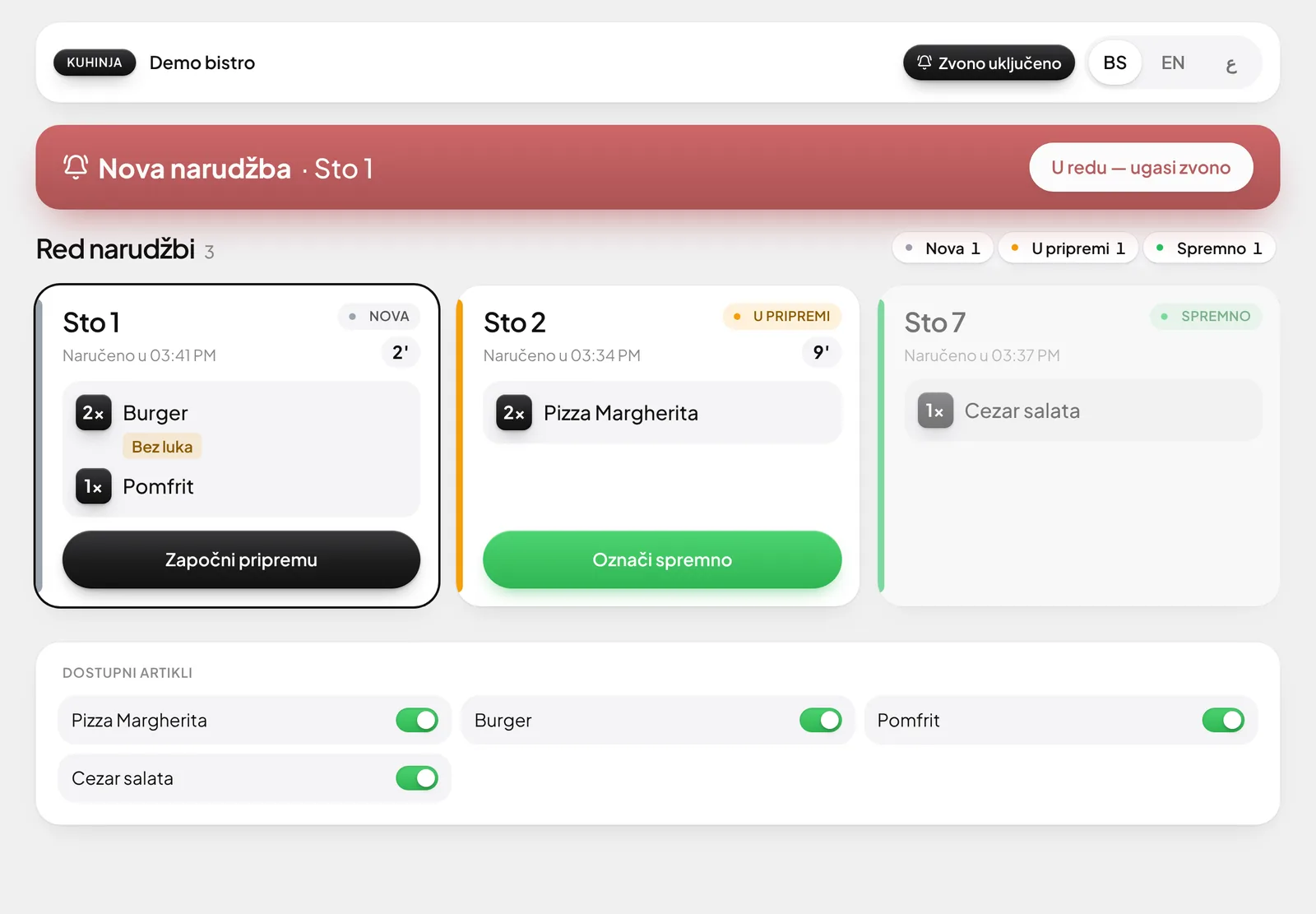
A new order can't go unnoticed.
The kitchen gets only food, the bar only drinks.
The kitchen reads in its language, guests order in theirs.
For owners
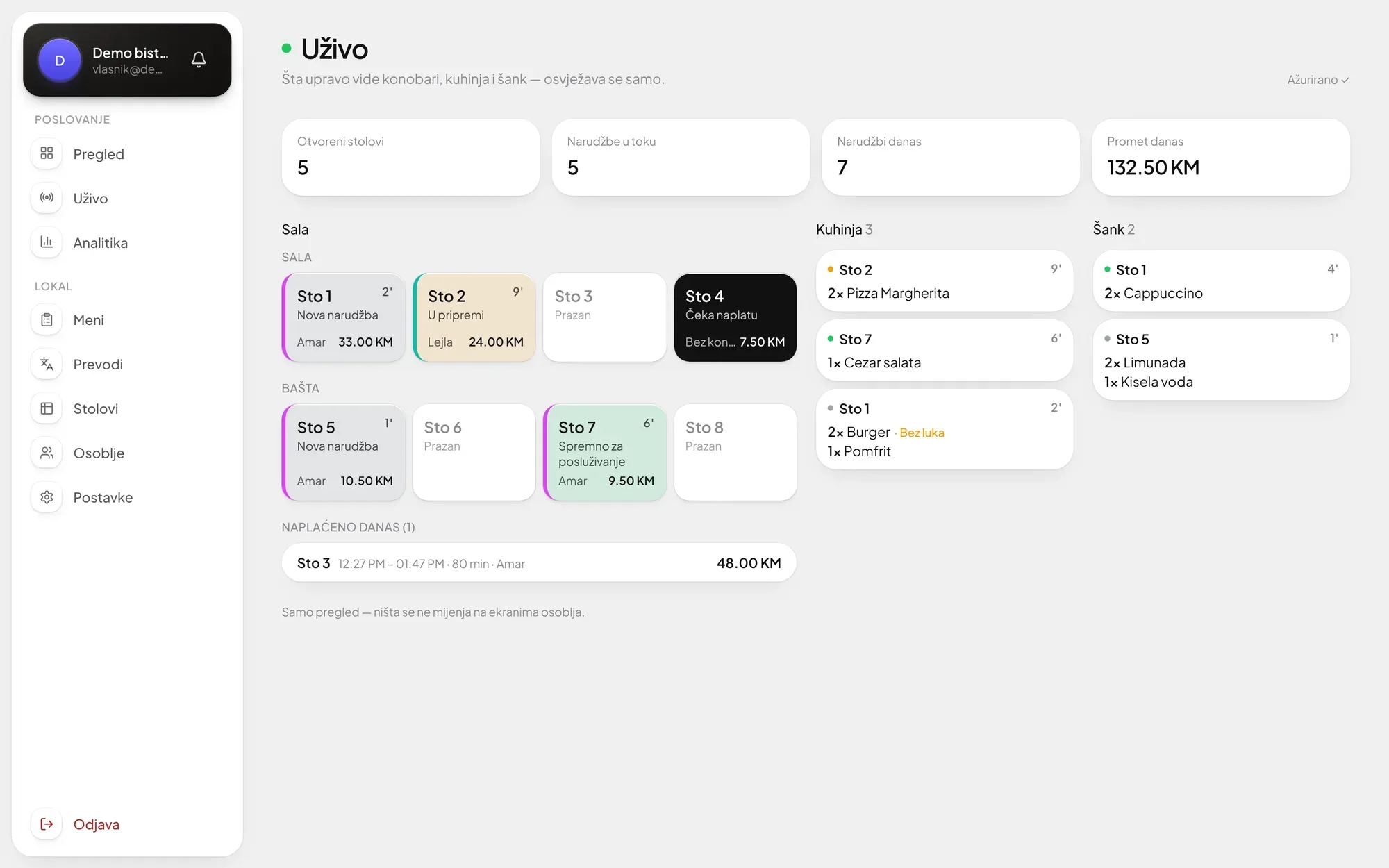
The owner sees the venue live
Open tables, the kitchen queue and today's revenue, from a phone or a computer, wherever you are.
Analytics by day and hour
How much guests order by QR code, and how much waiters do.
You edit the menu yourself
A new price, photo or sold-out item, and guests see it at once.
The menu in every guest's language
Enter a dish once, and guests read it in Bosnian, English or any language we add.
Order security
Orders only from the venue
An order goes through only from the venue's WiFi or within 70 metres of it. Someone who scans the code and goes home can't order.
- By the venue's WiFiThe guest is on your WiFi, the order goes through.
- By location, within 70 mFor terraces and venues where guests aren't on the WiFi.
What is Servee?
Servee is a QR table-ordering system for cafés, restaurants and bars. Guests scan the QR code on the table, choose from the digital menu and send the order, which goes straight to the kitchen or bar, and the waiter is notified when it is ready.
How is Servee different from a plain QR menu?
A plain QR menu only shows the menu; with Servee the guest also orders. Food goes to the kitchen screen, drinks to the bar, the waiter sees which table is waiting and what is ready to serve, and the owner follows it all live.
Do guests need to install an app?
No. Guests scan the QR code with the phone camera and the menu opens in the browser, with no app and no sign-up.
In which languages do guests see the menu?
In their own: Bosnian, English, Arabic or any language we add. You enter dish names once, and translations appear by the language of the guest's phone.
Can someone order from home after photographing the QR code?
No. Orders go through only from the venue's WiFi network or within a radius of up to 70 metres of the venue, so someone who scans the code and leaves can't order.
What equipment do we need?
No special equipment. Waiters use their own phones, and a tablet or phone is enough for the kitchen and bar. We place the QR codes on the tables.
Can waiters still take orders?
Yes. A waiter enters an order for a table in a few taps, and it goes to the kitchen and bar just like a guest's order.
Can I change the menu and prices myself?
Yes. You change prices, photos, descriptions and sold-out items in your dashboard, and guests see the change immediately.
What does the owner see in Servee?
The owner sees open tables, the kitchen and bar queue and today's revenue live, from a phone or a computer. Analytics show revenue by day and hour, and how much is ordered by QR code versus by waiters.
How is Servee introduced in a venue?
Leave your number through the Request access form and pick a time for a call. We call you, come to the venue, enter the menu, place QR codes on the tables and connect the staff phones.
How much does Servee cost?
Servee is paid monthly by number of tables: from 135 KM (about €69) for up to 20 tables to 299 KM (about €153) for up to 100 tables, plus a one-time 100 KM implementation: we enter your complete menu and prepare the whole system for you. Every package has every feature, and venues with more than 100 tables get an individual offer. See all packages and prices →
Getting started
From a call to the first order
We set everything up, in your venue.
- 01
Request access
Leave your number and pick a time for a call.
- 02
We arrange a visit
We call you at that time and arrange to come to the venue.
- 03
We set everything up
We enter the menu, put QR codes on the tables and connect the staff phones.